I’ve been woodworking for a while. Big things, cabinets and a kitchen table, and small things, jewellery boxes and drawers. I was given a wooden jigsaw puzzle at Christmas and this led to my latest interest. A laser cutter is amazingly precise. The beam is 0.1 mm wide and the parts can be whatever shape you can design. However everything has to be cut out of flat sheets and then assembled from there. It feels like a different direction from taking a 2×4 timber and a table saw.
Shape placement
Once you have your individual shapes you have to fit them on to, say, plywood sheets. To avoid waste you want to fit as many as possible on each sheet. Obviously this can be done by hand. It doesn’t take that long with 10-20 shapes. However if there’s lots then it’s easier to just let the software do it.
I’ve been using Onshape for my designs. It’s got a laser cutter plug-in to do this placement. It’s quick but not optimal. Fortunately there are other options. I’ve settled on deepnest-next. It comes up with a basic solution and then iterates looking for a better one.
This is a computationally hard problem. The bin packing problem is part of the NP-complete family. You probably won’t be finding a perfect solution to any of these. Sometimes you need to quickly recognise that perfection is impossible and look for something that is good enough.
Apothecary cabinet
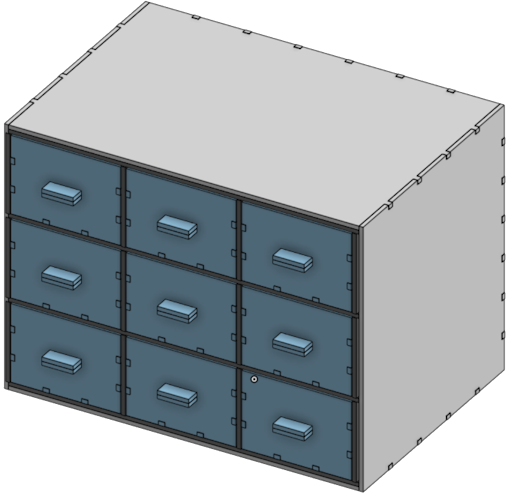
My latest designs are for things like this, a prototype for an apothecary cabinet.
After iterating for a while this is what deepnest came up with:
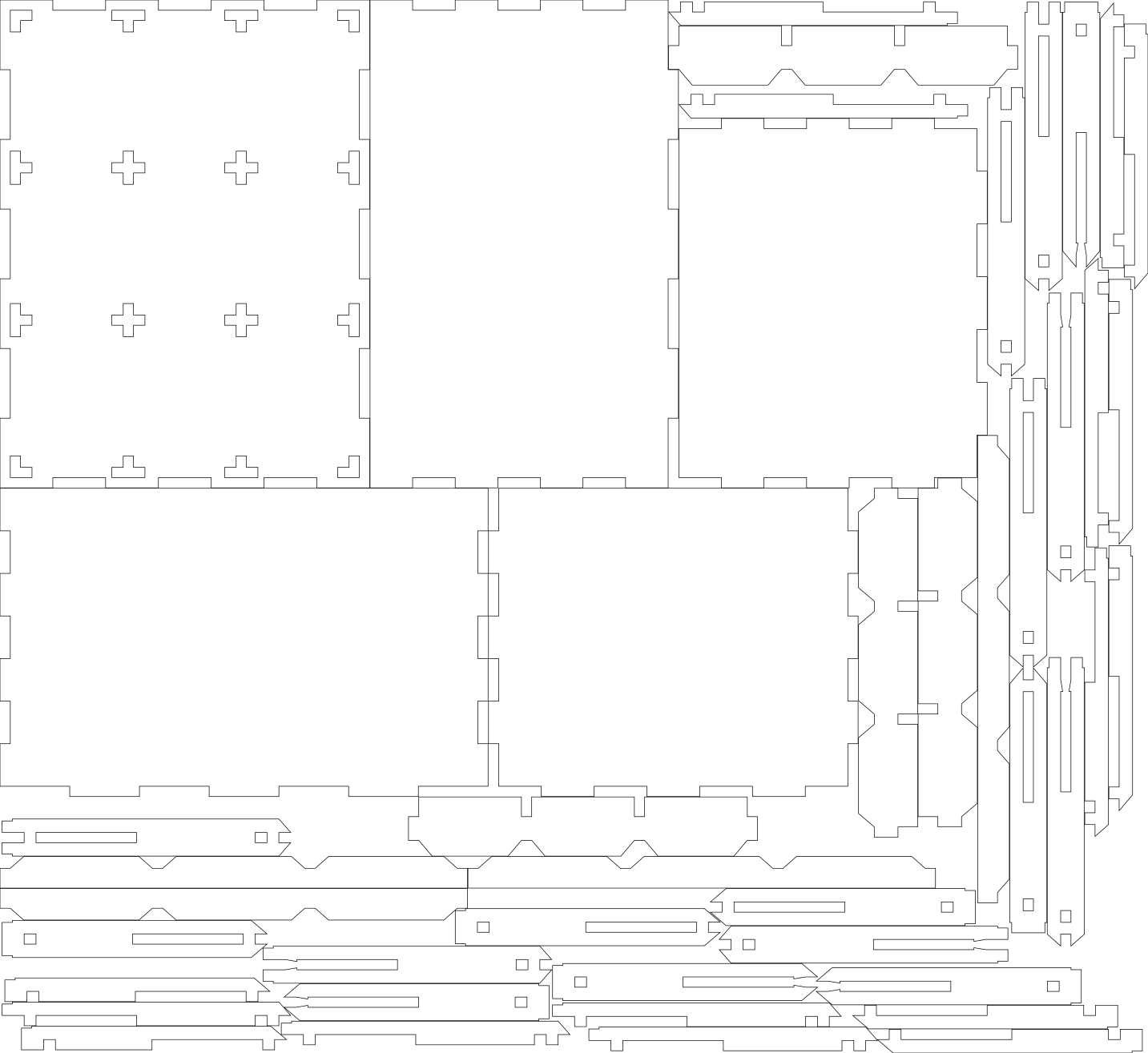
I’m struck by how messy it looks. That doesn’t matter to the laser but is less convenient when I’m taking the parts out later. The software is optimising for two things: space used and time to cut. The first is obvious but the second less so. If two parts can share an edge then the laser only has to make one cut. It does look as though switching some parts around would increase sharing. What’s going on?
Details matter
The laser cut is small, 0.1 mm. While that’s small it’s not nothing. You have to account for this in your shapes. I’ve been relying on a kerf offset that automatically adjusts the beam by that amount as it cuts the shape. I told deepnest to leave at least this much room between the parts. It could be that with gaps between all the shapes it can’t optimise them to share lines?
Another option is to offset the shapes by 0.1 mm before you start. This adds a manual step but gives deepnest the real shape to work with. Let’s see if it can do any better:
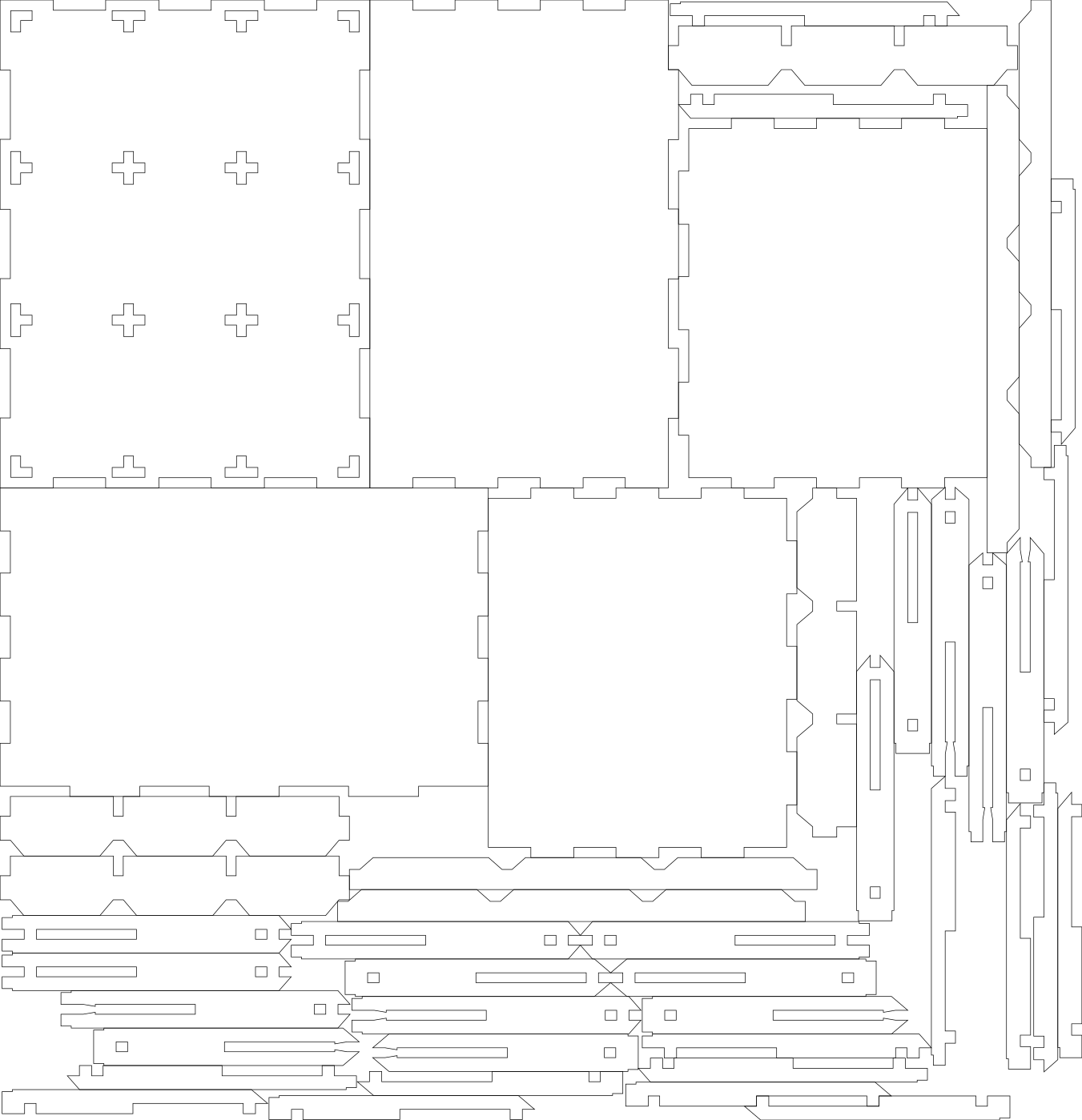
The big pieces are in the same places. The small pieces are scattered differently. No, no it can’t do better.
Manual layout
Here’s my own attempt:
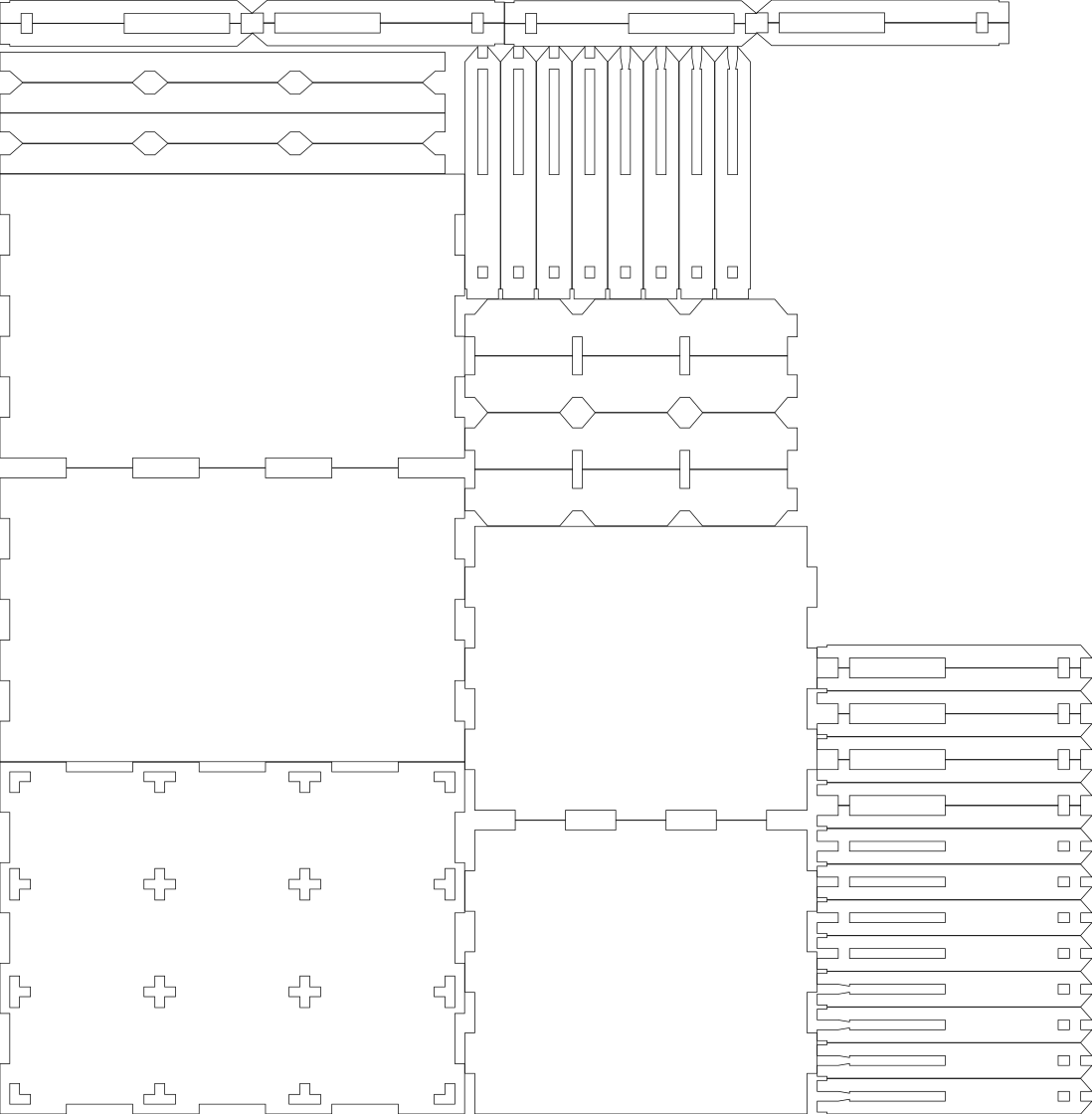
This is what I mean by better. The laser cutting software predicts this will be faster to cut out, 24 minutes compared to 27 for the deepnest versions. By placing similar pieces next to each other I get them to share more of their lines. Not only that but the layout just looks better. Each type of shapes is grouped together. It’s going to be easier to sort the parts out. Plus there’s some left over plywood that I can reuse later. I know the deepnest software uses a genetic algorithm. That means it has a method of evaluating cut patterns to assign them a score. In theory it could be extended to value putting like with like.
In the end
I want the software to do things it’s not been written to do. It only cares about space and time, not about making things neat. However in this small case I was able to do better with both myself. For bigger cases I think the software would start winning. I can lay out a single sheet but if there are a dozen sheets then I’m going to get tired and the software isn’t.
Leave a Reply